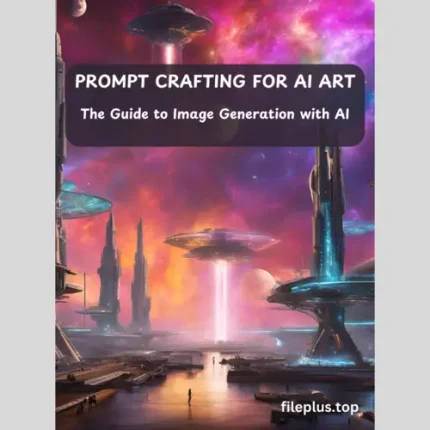
Get everything you need to excel in AI image creation with the AI Image Creation Toolkit. This comprehensive package includes a practical guide on writing effective prompts for AI-generated images, making it easy for both beginners and experienced users to get results.
You’ll also receive :
Ebook: Prompt Crafting for AI Art : The Guide to Image Generation with AI [PDF]
120 example prompts, with 50 complete with sample images to show exactly what’s possible. Plus, gain access to an extensive library of 1,150 AI-generated images covering various themes, ready to use in your projects.
Streamline your creative process and elevate your work with this all-in-one resource.
Why Should You Buy This Collection?
Investing in the AI Image Creation Toolkit means gaining a powerful advantage in the world of AI-driven content creation. Here’s why this collection is a must-have:
-
Learn Prompt Writing Like a Pro:
The included guide provides practical, easy-to-follow steps to mastering prompt writing, enabling you to create high-quality AI images with precision and creativity.
With 120 pre-made prompts, including 50 with sample images, you have a strong starting point for your projects, reducing the time spent brainstorming and experimenting.
-
Access to an Exclusive Image Library:
The 1,150 AI-generated images span multiple themes and styles, giving you a diverse set of assets for your work—whether it’s for marketing, design, or personal projects.
The Benefits You’ll Gain:
Use the prompts and images to kickstart ideas and inspire new projects.
Save hours of work by using proven prompts and ready-to-use images.
Stand out with high-quality visuals generated through expert techniques and tools.
With this collection, you’ll have everything you need to confidently create and innovate in the AI image space.
Who Can Benefit from This Product?
The AI Image Creation Toolkit is designed to provide value to a wide range of individuals, including:
- Content Creators: Bloggers, social media managers, and influencers looking for unique visuals to enhance their content and increase engagement.
- Graphic Designers: Professionals and hobbyists who want to expand their toolkit with AI-generated images and learn prompt-writing techniques.
- Marketers: Teams or individuals in advertising and marketing who need a quick, reliable source of diverse and eye-catching images for campaigns.
- Educators and Trainers: Those teaching AI, design, or digital art who need practical resources and examples for their curriculum.
- Entrepreneurs and Startups: Business owners who want to create visually appealing presentations, pitches, and promotional materials without extensive design experience.
- AI Enthusiasts and Tech Learners: Anyone curious about the potential of AI in creative processes who wants to understand prompt writing and its impact on image generation.
This product bridges the gap between creativity and technology, making it ideal for anyone who wants to harness the power of AI for effective, high-quality image creation.
How to Use This Product:
- Start with the Guide: Begin by reading the comprehensive book on prompt writing for AI image generation. This will give you the foundational knowledge and practical techniques needed to create effective prompts.
- Practice with Example Prompts: Use the 120 example prompts provided to see how prompt writing translates to real results. The 50 prompts with sample images will help you understand how certain inputs yield specific outputs, offering insights into creating your custom prompts.
- Incorporate the Images: Browse through the collection of 1,143 AI-generated images to find visuals that fit your needs. These images can be used for social media, presentations, websites, and more, saving you time and adding a unique touch to your projects.
- Adapt and Innovate: Experiment with the techniques learned from the guide and example prompts to modify and create your own prompts. Use your creativity to generate new images that match your vision.
- Apply Across Projects: Whether you’re working on marketing campaigns, digital art, content creation, or personal projects, use the images and knowledge from this toolkit to enhance your work and streamline your process.
By following these steps, you’ll maximize the potential of the AI Image Creation Toolkit and become proficient in using AI tools for generating high-quality visuals.
How to Modify a Prompt to Fit Your Needs
Modifying a prompt to match your specific requirements is key to making AI-generated images align with your vision. Here’s a step-by-step guide on how to adapt a prompt:
-
Understand the Core of the Prompt:
Begin by analyzing the structure of the example prompt. Break it down into key components:
-
- Subject: What is the main focus (e.g., a cityscape, a character, an object)?
- Style: Is the image in a specific art style (e.g., realism, abstract, watercolor)?
- Mood/Atmosphere: Does it describe an emotion or tone (e.g., dark, lively, serene)?
- Details/Attributes: Are there particular features or details mentioned (e.g., time of day, specific colors, clothing, background elements)?
-
Identify Your Changes:
Decide what you want to modify based on your needs. Some common changes include:
-
- Subject Change: Replace the subject with something different. For example, change “a forest” to “a beach at sunset.”
- Style Adjustment: If you want a different style, adjust the description (e.g., “impressionist painting” instead of “realistic photo”).
- Add Specific Details: If you want more details, you can be specific (e.g., “a futuristic city with neon lights at night”).
- Mood and Lighting: Adjust the emotional tone or lighting (e.g., “mysterious and foggy” instead of “bright and sunny”).
-
Keep It Concise and Clear:
AI works best when prompts are direct and specific. Avoid unnecessary complexity. If you need something straightforward, a brief description may be more effective.
-
Experiment with Variations:
Once you’ve made your changes, try a few variations. For example, slightly alter the color palette, lighting, or composition to see how the image output shifts. AI can respond differently to subtle changes.
If the first result isn’t exactly what you wanted, adjust your prompt further. AI image generation is a process of trial and error, so refining the input is key to getting the desired outcome.
Example:
Original Prompt: “A lush green forest during the day, with sunlight filtering through the trees.”
Modified Prompt: “A serene beach at sunset, with vibrant orange skies and gentle waves lapping at the shore.”
By following these steps, you can transform any prompt to better suit your creative needs and achieve the perfect AI-generated image.